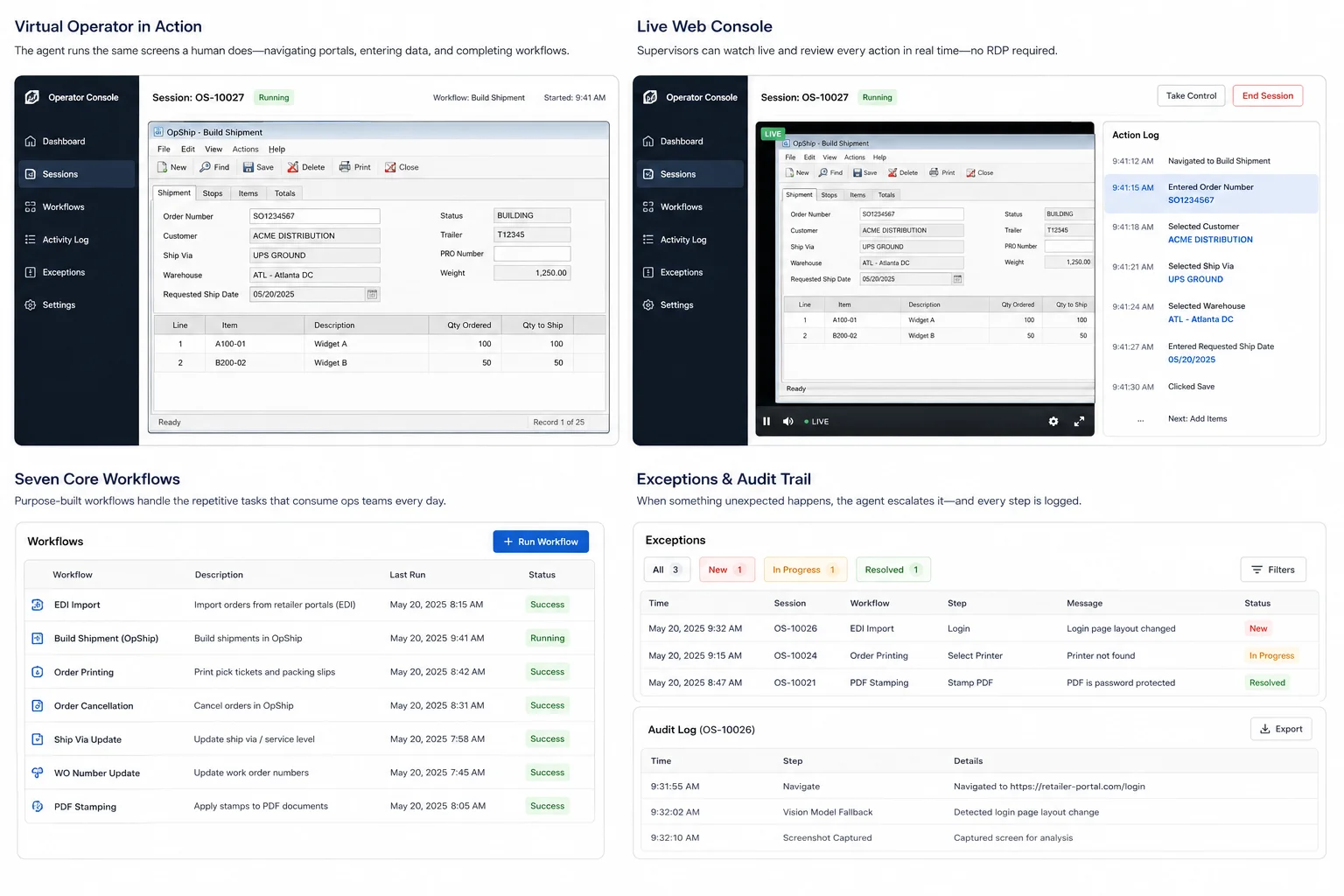
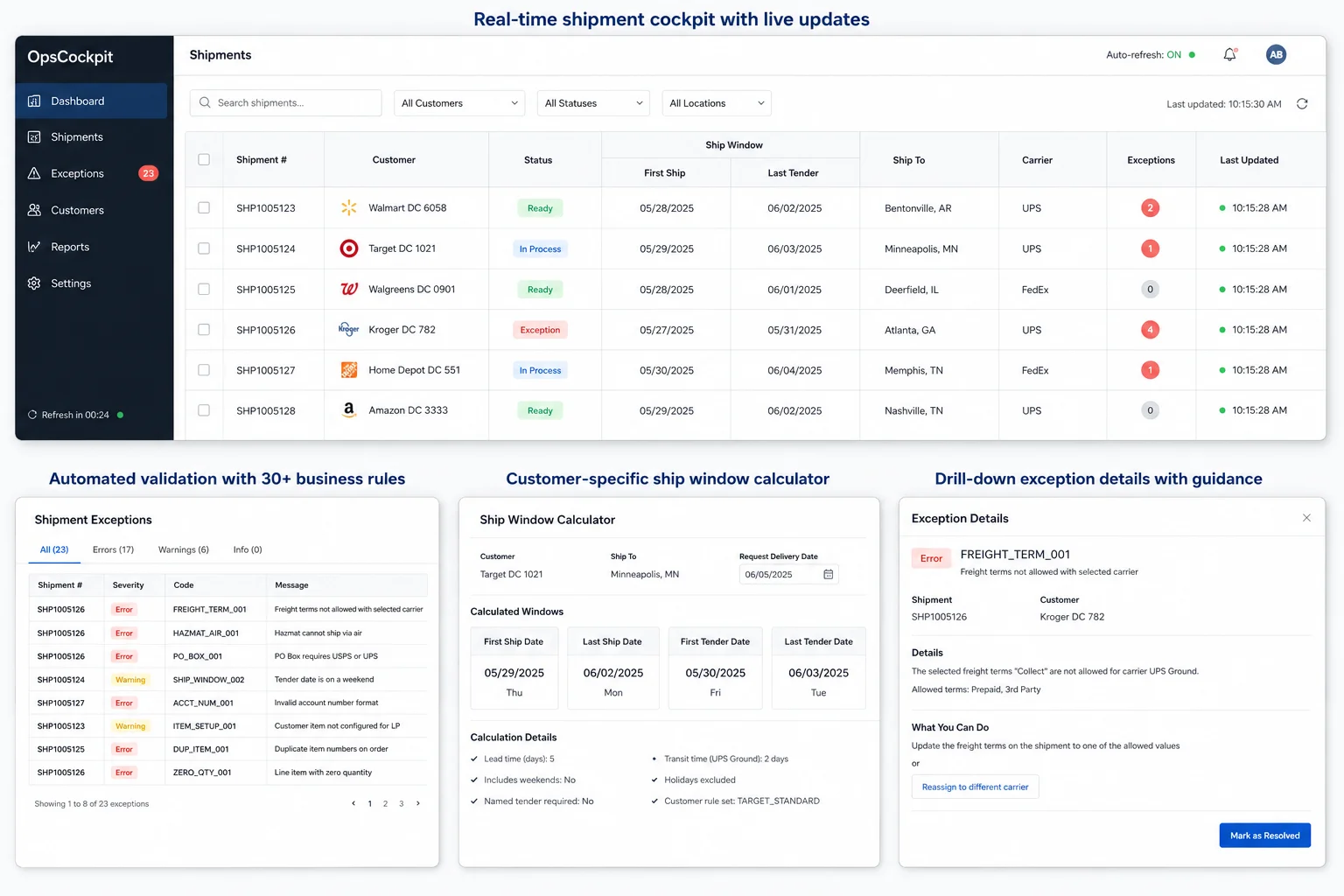
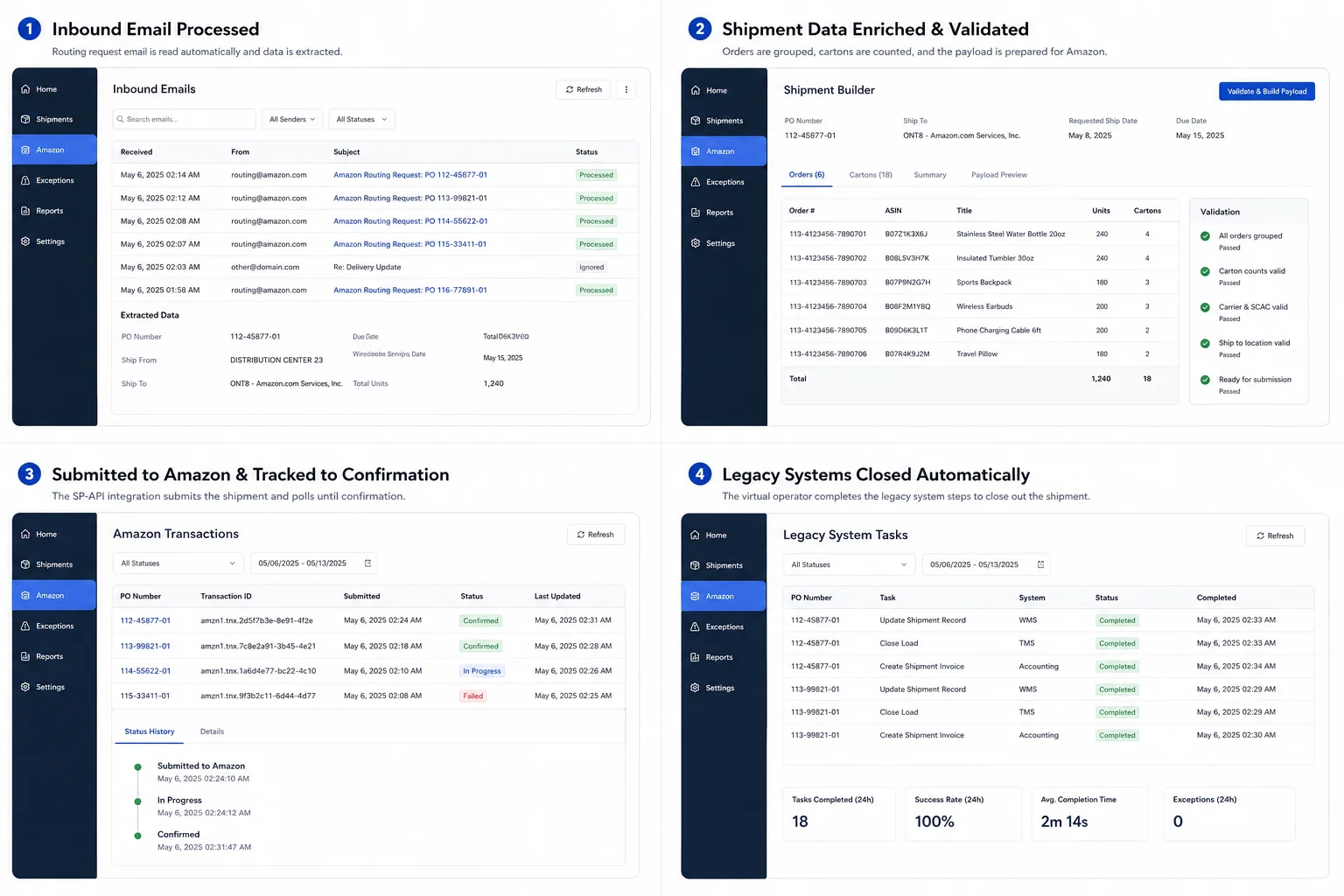
Seven workflows were eating up the team's time: EDI imports, building shipments in OpShip, order printing, cancellations, ship-via updates, WO-number updates, and PDF stamping. We broke each into explicit steps that know what should be on screen, how to check it worked, and what to do if a popup gets in the way. All seven now run the same way, at the same speed, every time — overnight and weekends included.
Automation that runs out of sight makes ops leaders nervous, and they're right to be — you find out something went sideways when the chargeback lands. The agent streams its desktop as an HLS feed into the ops app, with an action log next to it showing the current step, the last one it finished, and what's coming next. Supervisors audit from any browser, no RDP, and one person can watch several sessions at once.
Retailer portals and legacy apps change. A button moves, dialog text shifts, a session expires in some weird way. Traditional UI automation snaps the moment that happens. When a step doesn't see what it expects, the agent hands the screen over to a vision model that reads what's there the way a person would and picks the next move. The exception queue ends up full of actual problems instead of "the button moved."
When automation is touching customer-facing data, you need to point at exactly what happened and when. Every click, every step start, every success or failure gets a timestamp and a session ID. The same log feeds the Operator Console live and the database for after-the-fact review — a full audit trail available to ops, IT, and compliance.