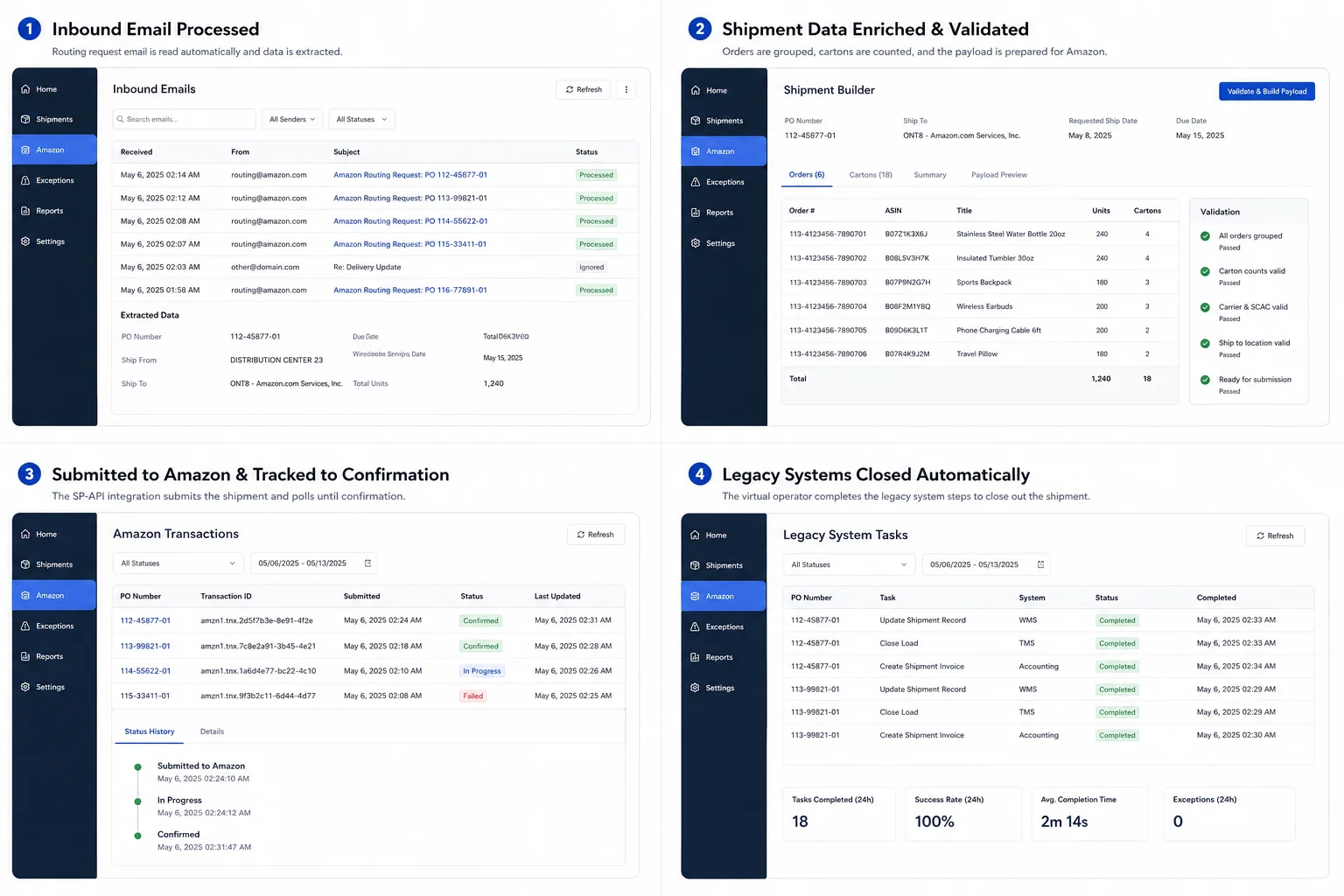
Leak 01 · Manual screen work

70+ hours a week of manual screen work, removed.

A supervised virtual operator drives the WMS, ERP, and retailer-portal screens. EDI imports, picking dialogs, label printing, customer-portal close-outs. The team watches the live feed from a web console.

The Problem

Your ops team spends most of its day clicking through portals and typing into a legacy ERP. The work is required, repetitive, and you can't hire your way out of it.

The Result

A virtual operator that runs those workflows. One supervisor watches from a web page, and every action is logged.

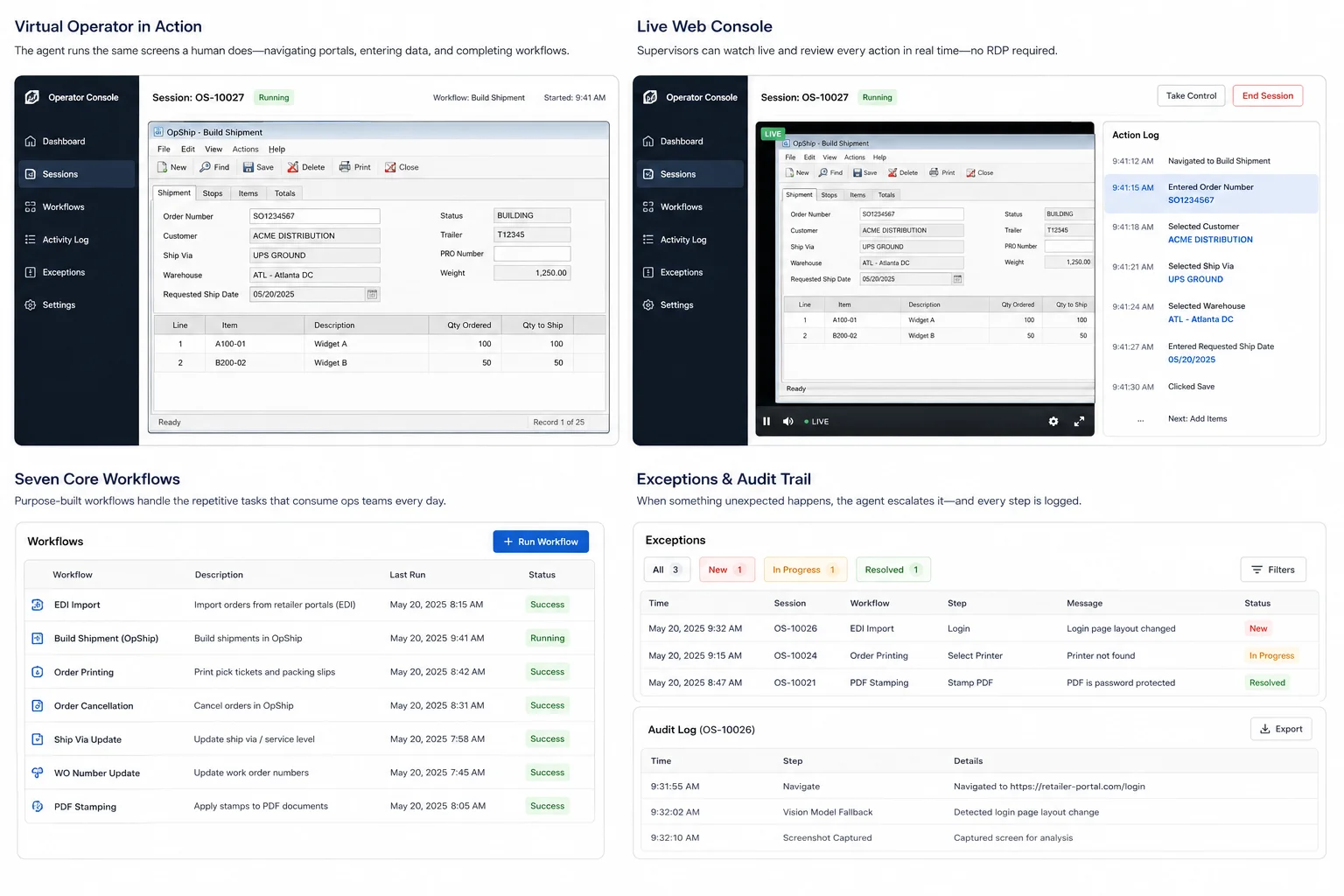
Operator Console showing the virtual operator's live desktop stream and synchronized action log alongside legacy WMS screens
  • The agent runs seven workflows end-to-end: EDI imports, shipment builds in the legacy OpShip app, order printing, cancellations, ship-via updates, WO-number fixes, and PDF stamping.
  • An Operator Console streams the agent's live desktop and action log into the ops app, so supervisors don't have to RDP into the VM.
  • When a screen doesn't look right, the agent hands off to a vision model that reads what's there and picks the next move instead of giving up.
Results
>70 hrs/wk of manual workflows eliminated
7 workflows automated end-to-end
24/7 always-on coverage, no business-hours gap
  • More capacity, no new hires. Imports and close-outs run overnight and weekends.
  • Every action is timestamped and replayable, so chargeback disputes have real evidence to point at.

You can't hire your way out of screen work.

A lot of what a 3PL ops team does every day isn't warehouse work. It's screen work. Importing EDI files through retailer portals, printing pick tickets at the right facility, backing cancelled orders out of the ERP, updating ship-via codes, fixing work-order numbers. Hundreds of times a day.

The obvious move is to hire more people. But staff who can navigate a retailer portal and a 90s-era ERP at the same time are hard to find, harder to keep, and the work burns them out. There's no clean API path either. Portals are HTML pages, the ERP is a Windows desktop app from the 90s. Historically the options have been scraping scripts that snap when a button moves, or more hires.

An agent that drives the same screens your team does.

A Windows agent runs on a dedicated VM. It logs into the ERP, navigates the retailer portals, fills out dialogs, prints to the right printers, and reports back. It runs on a schedule, when ops asks it to, or in response to events elsewhere in the system. Its desktop and action log stream live into an Operator Console inside the ops app, so a supervisor can watch and step in if something looks off.

Four pieces that made this work.

Step 01

Pick the seven workflows to automate first

Seven workflows were eating up the team's time: EDI imports, building shipments in OpShip, order printing, cancellations, ship-via updates, WO-number updates, and PDF stamping. We broke each into explicit steps that know what should be on screen, how to check it worked, and what to do if a popup gets in the way. All seven now run the same way, at the same speed, every time — overnight and weekends included.

Step 02

Make the agent watchable from a browser

Automation that runs out of sight makes ops leaders nervous, and they're right to be — you find out something went sideways when the chargeback lands. The agent streams its desktop as an HLS feed into the ops app, with an action log next to it showing the current step, the last one it finished, and what's coming next. Supervisors audit from any browser, no RDP, and one person can watch several sessions at once.

Step 03

A vision model for when the screen changes

Retailer portals and legacy apps change. A button moves, dialog text shifts, a session expires in some weird way. Traditional UI automation snaps the moment that happens. When a step doesn't see what it expects, the agent hands the screen over to a vision model that reads what's there the way a person would and picks the next move. The exception queue ends up full of actual problems instead of "the button moved."

Step 04

Log everything

When automation is touching customer-facing data, you need to point at exactly what happened and when. Every click, every step start, every success or failure gets a timestamp and a session ID. The same log feeds the Operator Console live and the database for after-the-fact review — a full audit trail available to ops, IT, and compliance.
Technical detail (for the engineers in the room)
  • WPF · FlaUI drives the legacy ERP and retailer portals through UI Automation primitives, all on a dedicated Windows VM
  • Azure OpenAI picks up as the vision fallback when a UIA target isn't where the workflow expects it
  • React · MUI · FFmpeg · SignalR power the Operator Console — an HLS desktop stream alongside the synchronized action log
  • HTTP queue · orchestrator handle job intake from the ops app and dispatch on the agent side

Want this pattern in your operation?

Book a free intro call. Tell us where your team is burning hours on legacy and portal screens, and we'll tell you whether a virtual operator is the right shape of fix.

Book an intro call
(407) 349-3633